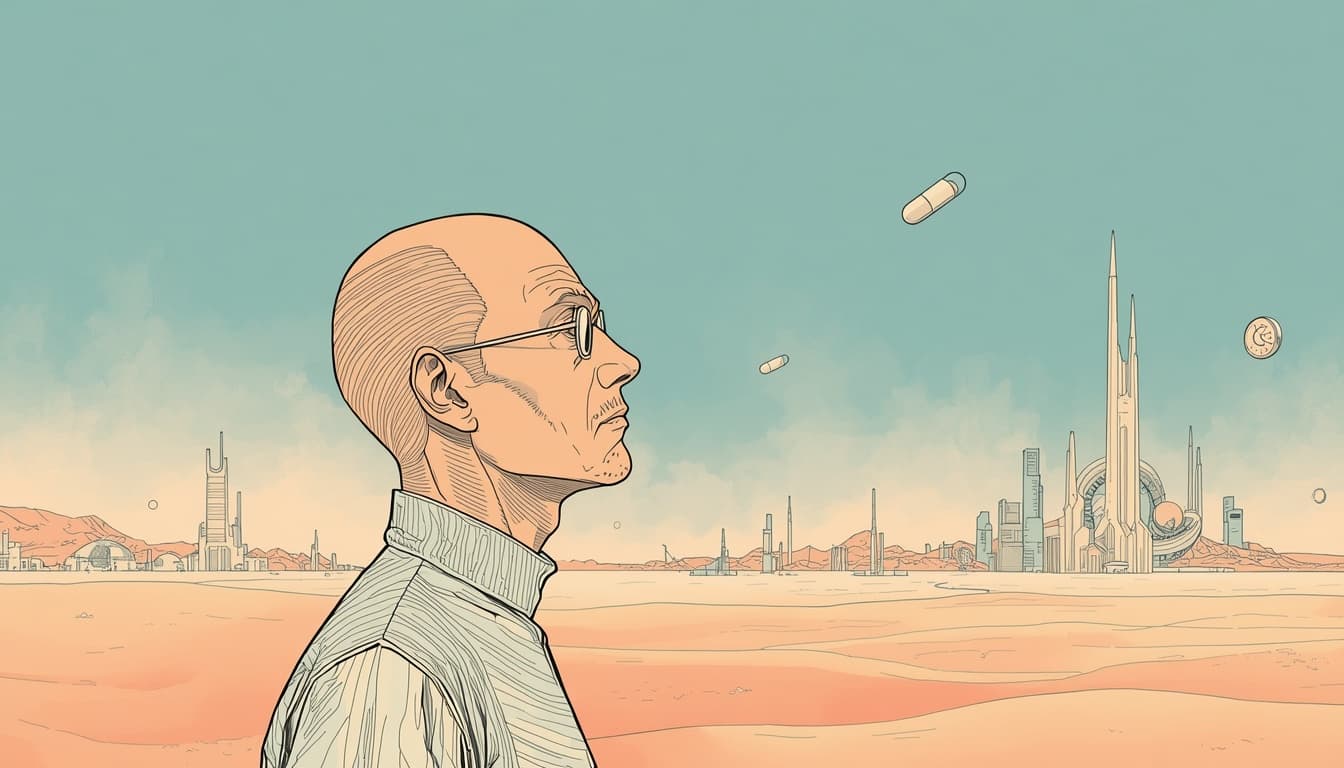
Building a Visual Time Capsule with Weekly AI Avatars
How I built a self-updating time capsule that turns each week's news into a Moebius-style avatar, generated automatically every Monday.
I wanted my portfolio to feel a little alive, something that quietly changes on its own and reflects the world outside the screen. So I built a Time Capsule: every Monday, a new avatar appears, inspired by that week's news and rendered in the style of Moebius. Over time, it becomes a visual diary of current events, one frame per week.
Here's how all the pieces fit together.
The Idea
The concept is simple: take the week's headlines, distill them into a mood, and paint that mood as a portrait. No literal depictions, no text, just atmosphere, color, and symbolism filtered through a distinctive art style. The result is a gallery that grows over time, where each image is paired with the news that inspired it.
You can see it live at /time-capsule.
The Pipeline
The whole thing runs on autopilot. Every Monday, a cron job fires a multi-step pipeline:
- Fetch the news — Pull the top US headlines from NewsAPI
- Synthesize a concept — Use an LLM to turn those headlines into an abstract visual description
- Generate the image — Feed that concept into an image model with a Moebius style prompt
- Store everything — Upload the image to object storage and save the record to the database
- Display it — The homepage shows the current avatar; the gallery shows the full history
Each step is its own small service, which keeps the orchestration readable and easy to debug.
Scheduling on a Hobby Plan
Vercel's Hobby plan only supports daily crons, so the vercel.json config runs the endpoint every day at 14:00 UTC (8:00 AM Central):
{
  "crons": [
    {
      "path": "/api/weekly-avatar/generate",
      "schedule": "0 14 * * *"
    }
  ]
}
The endpoint itself checks whether it's Monday and bails out early on any other day. The route is protected with a CRON_SECRET bearer token so it can't be triggered by just anyone.
From Headlines to a Visual Concept
The most interesting part is the prompt synthesis. I don't want the image to literally show a news event, that would be both heavy-handed and risky. Instead, I ask an LLM to act as a creative director and translate the week's themes into mood and symbolism:
const systemPrompt = `You are a creative director who transforms news
headlines into abstract visual concepts for artwork. Your goal is to
capture the mood and essence of current events without literal depictions.

RULES:
- Focus on mood, atmosphere, and abstract symbolism
- Suggest clothing, props, colors, and environmental elements
- NEVER include text, words, or letters in the visual description
- If headlines are negative, translate them into contemplative or
  resilient imagery
- The output should be a single cohesive scene description`;

const result = await generateText({
  model: google('gemini-2.0-flash'),
  system: systemPrompt,
  prompt: userPrompt,
});
This gives me a couple of sentences describing a character's expression, clothing, environment, and color palette, all derived from the week's news but abstracted into something artful.
Painting in the Style of Moebius
That visual concept then gets wrapped in a much more detailed prompt that pins down the art style and feeds it to Gemini's image model:
const result = await generateText({
  model: google('gemini-2.5-flash-image'),
  providerOptions: {
    google: { responseModalities: ['TEXT', 'IMAGE'] },
  },
  prompt: buildMoebiusPrompt(visualConcept),
});

const imageFile = result.files?.find((file) =>
  file.mediaType.startsWith('image/')
);
The buildMoebiusPrompt helper lays out the hallmarks of Moebius's work, clean precise linework, soft pastels and ethereal blues, surreal open spaces, that contemplative bande dessinée atmosphere, along with hard constraints like a 1:1 aspect ratio and absolutely no text in the image.
Storage and Persistence
Once the image comes back as base64, it's uploaded to Cloudflare R2 (generous free tier, S3-compatible) and the full record is written to Supabase:
- The image URL
- The headlines that inspired it
- The generated visual concept
- A status field (
generating,success, orfailed)
Storing the headlines and prompt alongside the image is what makes the gallery meaningful, every avatar can show its work and link back to the stories behind it.
Displaying the Capsule
The gallery is a Next.js Server Component that simply reads all successful avatars from the database and renders them newest-first. Each entry pairs the image with its inspiring headlines and the AI's visual concept, so visitors can see exactly how a week of news became a piece of art. The homepage pulls the current week's avatar, falling back to the most recent one if this week's hasn't generated yet.
Designing for the Real World
The news isn't always cheerful, so the pipeline has a few guardrails:
- Slow news days fall back to neutral, peaceful headlines so the image never feels empty
- Sensitive weeks can be handled by flipping an
is_pausedflag in the database to skip generation entirely - Content safety is enforced both in the prompt (no violence, no tragedy, translate negativity into resilience) and by the image model's built-in filters
- Failures are recorded with an error message rather than silently breaking the gallery
Where It's Headed
Because every image, headline, and prompt is preserved with a consistent date-based key, the data is already structured for a future year-end video, a single script could pull a date range and stitch the frames into a moving retrospective of the year.
For now, though, I like checking back every Monday to see what the week looked like through Moebius's eyes. Take a look at /time-capsule.